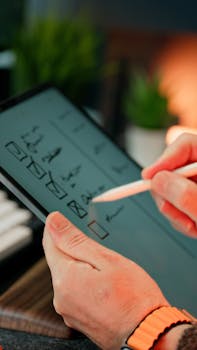
You grab a coffee, sit down, and open your laptop—work awaits. Suddenly, you’re moving at double speed because your favorite apps seem to disappear and get out of the way. Those clever, lightweight productivity tools you’ve added to your digital toolbox almost feel invisible. They quietly boost your momentum without crowding your screen or draining your focus, letting you handle more in less time.
Organizations and individuals alike crave smoother workflows and fewer roadblocks on busy days. The right lightweight productivity tools can remove friction, streamline tasks, and create a calm sense of progress. Instead of wrestling with bloated software, smaller, purpose-driven apps let you focus on what actually matters.
This article breaks down why these digital helpers are so effective. Explore practical strategies, checklists, and examples anyone can try today—whether you want to fly through emails, coordinate projects, or just reclaim time. Let’s see what makes lightweight productivity tools a secret weapon for modern efficiency.
Finding the Right Fit: Tools That Serve, Not Distract
Switching to lightweight productivity tools means more than saving memory. It gives you familiar surroundings and faster access to your favorite shortcuts every single day.
The change isn’t just about having less clutter. You start to notice workflows improving, and even team meetings feel shorter because friction points disappear when the right tool does its job.
Spotting What Truly Saves Time
A power user might say, “I reach for this because it boots instantly and stays out of my way.” That moment is worth more than a flashy feature list.
Instead, watch for how quickly you transition in and out of focus. Efficient lightweight productivity tools let you flow from checking messages to updating a report without hesitation.
If an app adds steps or confusion, stash it away for a week. During that time, rely only on the tools that make you forget what work used to feel like.
Testing for Daily Fit and Flow
Adopt a rule: Only keep digital tools that make at least one daily task faster or easier. If you skip it more days than not, consider cutting it out.
Trial different apps by timing how long it takes to finish basic routines—email triage, file renaming, or jotting notes. Notice if lightweight productivity tools give you minutes back.
Imagine setting up quick-access panels just like you’d organize a desk drawer—the more friction you avoid, the more clarity you gain by mid-morning.
| Tool Type | Key Benefit | Ideal Use Case | Action Step |
|---|---|---|---|
| Slim email client | Fast load, easy triage | Daily inbox cleanup | Test for one week, track time savings |
| Minimal note app | Quick capture, low distraction | Meeting or brainstorm notes | Organize notes by project for clarity |
| Task manager | Single-click entry | Prioritizing daily to-dos | Set up recurring tasks, review weekly |
| Clipboard enhancer | Multiple paste, easy recall | Copy-paste sequences | Install, test in your most common workflow |
| File finder | Instant search, open files fast | Locating resources quickly | Replace default file explorer and compare speed |
Building Consistent Productivity Habits with Streamlined Apps
Once you integrate lightweight productivity tools, your daily routine becomes easier to stick with—and easier to refine over time.
You’ll notice your mind shifts away from the mechanics of using software and focuses more on results. That’s the zone where creative thinking thrives.
Leverage Templates for Fast Starts
Templates save your future self countless keystrokes. Try creating templates for emails, checklists, or even client reports in your preferred note-taking tool.
It pays to open your app, click a template, and launch straight into work. Over time, your template library grows along with your confidence in lightweight productivity tools.
- Setup a new project note: Structure includes goals, milestones, links—quicker planning and reference saves setup time for every new task.
- Create meeting agendas: Prepare collaborative outlines, pre-fill objectives, and assign sections so team members can contribute before you even meet.
- Daily standup checklist: Write a five-step bullet list; check off as you answer what you did, what’s next, where you’re blocked—progress stays visible.
- Recurring email drafts: Keep boilerplate responses at hand so routine messages become fewer clicks, less typing, and leave less to rewrite.
- Client briefing format: Include summary, deliverables, timelines—just swap details and send. Each new project only takes a minute to outline professionally.
Templates reward you for thinking ahead. Start with one type, and gradually add more as you identify patterns in your workflow where lightweight productivity tools shine.
Create Focused Sessions with Simple Software
Dedicate short bursts—such as 45 minutes with a timer—to one task at a time using dedicated, lightweight productivity tools that avoid distractions.
Instead of multi-tab chaos, open a minimal editor or simple tracker. Notice how you enter a ‘flow state’ more easily, making distraction-free sessions your default mode.
- Start focus mode: Silence notifications, close browsers—open one writing tool only. Set a clear, timed work block for uninterrupted creation.
- Limit app switching: Tell yourself, “I’ll check chat in 25 minutes.” Finish current tasks in a lightweight tracker before reviewing updates.
- Save visual workspace setups: Use portable windows layouts, keep two apps maximum visible, and quickly return to this arrangement for each client, project, or type of work.
- Set auto-save reminders: Lightweight tools that save in real time offer confidence to go all-in on an idea without losing your train of thought.
- Batch similar tasks: Group emailing, file downloads, or editing sprints into small windows—clear each in one session, then close those lightweight productivity tools to signal a mental break.
Each focused block builds momentum, showing your brain it’s easier to start—because the path to progress is free of clutter and distraction.
Reducing Digital Drag by Automating Mini Tasks
Small automations can make your entire workflow feel smoother. Even automating two or three daily actions with lightweight productivity tools yields immediate benefits.
Automation isn’t only for technical users. Newer apps often provide friendly interfaces, so you can record basic tasks or schedule recurring jobs without writing a single line of code.
Get Started with Example Sequences
Suppose you always rename files the same way. Set up an automation tool to watch a folder and rename anything copied there based on your naming pattern.
Or, when a meeting invite arrives in your email, connect an automation that logs the event in your calendar and sends a short reminder to your group chat.
As you build these small workflows, you’ll realize you can apply the same logic to dozens of routines—saving minutes every single day with lightweight productivity tools.
Guide: Enable Small Automations Using Built-in Features
First, dig into the settings of your task manager or note tool and look for automation or shortcut features labeled rules, triggers, or workflows.
For example, if a note contains the word “urgent,” have your tool automatically flag it or notify you with a customized alert—no need for manual checks.
Next, try linking two lightweight productivity tools together for actions like, “When I finish this document, copy its link to my project list,”—then see your coordination improve daily.
Choosing Simplicity Over Features to Avoid Bloat
Pairing your workflow with lightweight productivity tools means fewer distractions and more flexibility as your needs change.
Picking simpler apps improves mobility and reliability, so your core tools work on any device—laptop, phone, or borrowed workspace—without needing upgrades or constant syncing.
Build a Core App Set for Every Device
Start by listing your most-used digital tasks. Group tools by job: writing, tracking, searching, sharing. Now, find one lightweight productivity tool for each.
Test these apps on both your main computer and your phone. Stick with the options that sync seamlessly and require the fewest sign-ins or permissions.
You’ll notice you feel more confident pulling up necessary info—even when working from a client’s office, airport lounge, or home setup.
Tracking Progress and Noticing Everyday Wins
Lightweight productivity tools make it easier to measure small improvements—letting you celebrate every step forward as part of your workday.
People who write daily summaries or set mini-goals see clearer progress and can pinpoint where digital helpers are removing previous bottlenecks.
- Write quick daily wins: Jot one sentence per finished task. Review weekly to track how lightweight tools help hit those small milestones faster.
- Make simple before-and-after lists: If you switched to a new note app, compare the time and steps for writing notes now versus last month.
- Check energy at day’s end: If you finish work with less fatigue, that’s a positive signal your tools are reducing cognitive load and hidden distractions.
- Spot patterns in roadblocks: When you skip a task, ask if a digital helper could automate or simplify that routine next week.
- Capture team feedback: In chats or meetings, ask, “Has this new tool changed how fast you get work done?” Adjust based on their real-time experiences.
Supporting Team Coordination with Minimal Overhead
Team collaboration thrives on clarity and shared understanding. Switching to lightweight productivity tools across your group reduces confusion and speeds decision-making.
Less software complexity means everyone learns new apps faster and can focus on contribution, not troubleshooting or remembering unnecessary menu options.
Scenario: Onboarding a New Team Member
Offer a short list of just two core digital tools: a clean chat app plus a focused task tracker. Invite your new teammate to try sending a message or checking off a real task.
Then, walk them through a five-minute challenge—join the team channel, upload a file, set a due date. They gain quick wins without information overload.
This approach shows how lightweight productivity tools support fast onboarding, clearer handoffs, and fewer “How do I use this?” interruptions during a typical workweek.
Takeaway: Building a Smarter, Smoother Digital Routine
Streamlining with lightweight productivity tools puts focus and flexibility at the front of your workflow. Those minutes saved add up to real progress and lower stress daily.
Whether working solo or with a team, you’ll find more time for deep work, creativity, and quick coordination. Fewer logins, less clutter, clearer priorities—that’s the power of choosing the right digital tools.
The key? Replace heavy, complex apps with purpose-built helpers whenever you notice friction. Each improvement lays the groundwork for lasting productivity that feels natural and rewarding.